I can't see my Projects in the Project list on the Mobile App
Solution 1: Branch assignment
Verify with your Administrator that you’re assigned to the correct branch linked to the project.
If your project is still not visible, please see the steps below.
Solution 2: Filters may be applied
1
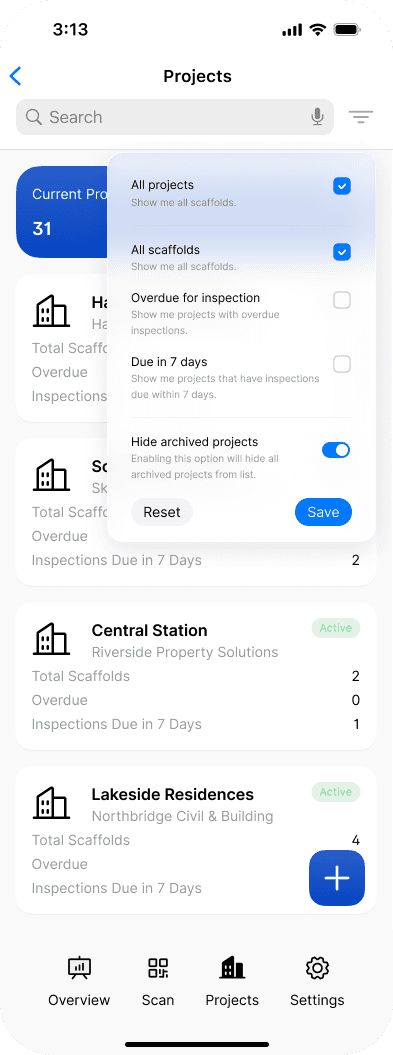
From the Projects screen, tap the Filter icon.
2
Turn off the Hide archived projects toggle and tap Save. Archived projects will now appear in the project list.

Not the answer you're looking for? Contact us for assistance, we'd be glad to help