Frequently Asked Questions

Quick answers about digital scafftags, inspections, billing, and getting started with Scafflinq.

How does Scafflinq work?

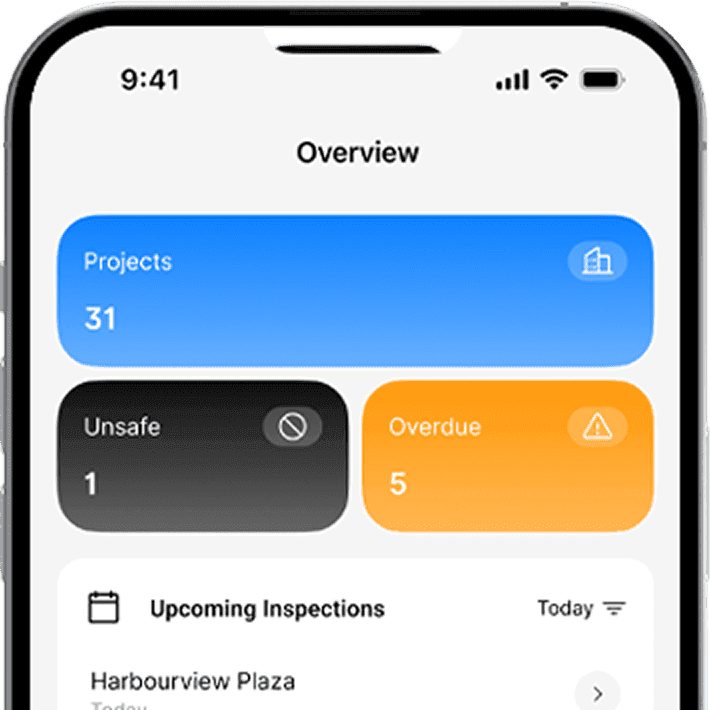
Scafflinq combines durable QR-enabled Digital Scafftags with a mobile inspection app and cloud dashboard. Tag each scaffold, scan with your phone to complete checklists, attach photos and handover certificates, and see live status across every site.

Do I pay per user or scaffold?

You only pay for active Digital Scafftags, not per user. Pricing is a simple usage-based fee per tag per week, with unlimited users, projects and scaffolds, and your first 5 tags free.

Do my customers have to sign up?

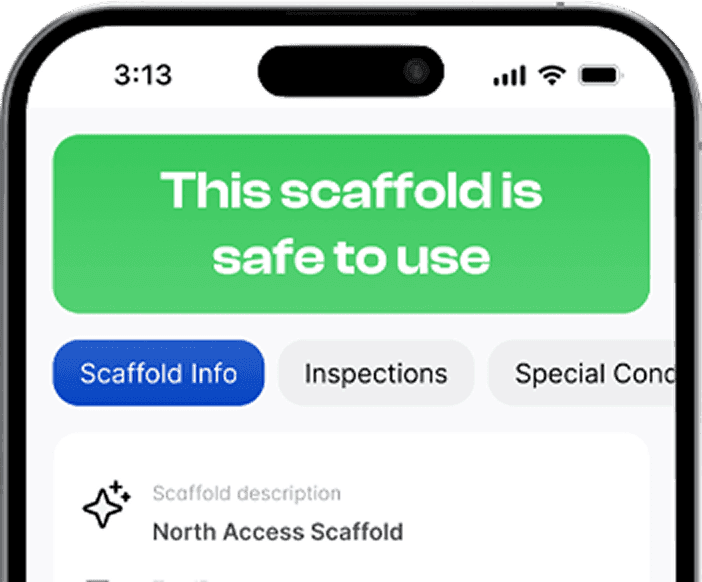
No. Your builders, clients and site visitors can scan a Scafftag with any smartphone camera to view the scaffold’s public safety status and key inspection details, without creating a Scafflinq account.

Can my team manage multiple sites and roles?

Yes. Scafflinq is built for multi-site operations with unlimited projects, branches and users. You can assign inspectors, supervisors and admins to specific sites and control their permissions from one place.

Is Scafflinq available in my country?

Scafflinq is used on projects across the globe, notably in Australia, the UK and the US, and supports compliance workflows for many more markets. If you have specific local compliance needs, just reach out, we’re happy to work with you to ensure a smooth rollout in your region.

Do my clients or site visitors need the app?

No. Anyone can scan a Scafftag in their mobile browser to view scaffold status, last inspection and special conditions. Only your internal team needs the Scafflinq mobile app and dashboard.

Do builders need a Scafflinq account to check a Scaffold?

No, all you need to do is scan using your phone camera to check the status and inspection history of a scaffold.

What happens if a Scafflinq tag gets damaged?

Each tag has a Unique Tag ID, so if you can't scan the QR Code, you can enter the Tag ID manually. Your scaffolder can also replace damaged tags easily while maintaining Historical Inspection information about your scaffold.

Do builders need to pay anything for Scafflinq?

No, scaffolding companies subscribe to Scafflinq, everybody else is free.

Are there any per user or per project charges?

No. Fees are incurred only while your scaffold remains erected. We cease charging once you dismantle the scaffold, and the tag's status changes to Inactive.

Do you accept invoice or EFT?

No, we operate on a SaaS billing model to keep our overheads low and our service more affordable.

What currency do you bill in?

We bill in AUD.

Can I order tags with my company logo?

Yes, we provide a custom printing solution to increase your brand visibility.

How does Scafflinq work?

Scafflinq combines durable QR-enabled Digital Scafftags with a mobile inspection app and cloud dashboard. Tag each scaffold, scan with your phone to complete checklists, attach photos and handover certificates, and see live status across every site.

Do I pay per user or scaffold?

You only pay for active Digital Scafftags, not per user. Pricing is a simple usage-based fee per tag per week, with unlimited users, projects and scaffolds, and your first 5 tags free.

Do my customers have to sign up?

No. Your builders, clients and site visitors can scan a Scafftag with any smartphone camera to view the scaffold’s public safety status and key inspection details, without creating a Scafflinq account.

Can my team manage multiple sites and roles?

Yes. Scafflinq is built for multi-site operations with unlimited projects, branches and users. You can assign inspectors, supervisors and admins to specific sites and control their permissions from one place.

How do I sign up for the app?

Scafflinq is used on projects across the globe, notably in Australia, the UK and the US, and supports compliance workflows for many more markets. If you have specific local compliance needs, just reach out, we’re happy to work with you to ensure a smooth rollout in your region.

Do my clients or site visitors need the app?

No. Anyone can scan a Scafftag in their mobile browser to view scaffold status, last inspection and special conditions. Only your internal team needs the Scafflinq mobile app and dashboard.

Do builders need a Scafflinq account to check a Scaffold?

No, all you need to do is scan using your phone camera to check the status and inspection history of a scaffold.

What happens if a Scafflinq tag gets damaged?

Each tag has a Unique Tag ID, so if you can't scan the QR Code, you can enter the Tag ID manually. Your scaffolder can also replace damaged tags easily while maintaining Historical Inspection information about your scaffold.

Do builders need to pay anything for Scafflinq?

No, scaffolding companies subscribe to Scafflinq, everybody else is free.

Are there any per user or per project charges?

No. Fees are incurred only while your scaffold remains erected. We cease charging once you dismantle the scaffold, and the tag's status changes to Inactive.

Do you accept invoice or EFT?

No, we operate on a SaaS billing model to keep our overheads low and our service more affordable.

What currency do you bill in?

We bill in AUD.

Can I order tags with my company logo?

Yes, we provide a custom printing solution to increase your brand visibility.

How does Scafflinq work?

Scafflinq combines durable QR-enabled Digital Scafftags with a mobile inspection app and cloud dashboard. Tag each scaffold, scan with your phone to complete checklists, attach photos and handover certificates, and see live status across every site.

Do I pay per user or scaffold?

You only pay for active Digital Scafftags, not per user. Pricing is a simple usage-based fee per tag per week, with unlimited users, projects and scaffolds, and your first 5 tags free.

Do my customers have to sign up?

No. Your builders, clients and site visitors can scan a Scafftag with any smartphone camera to view the scaffold’s public safety status and key inspection details, without creating a Scafflinq account.

Can my team manage multiple sites and roles?

Yes. Scafflinq is built for multi-site operations with unlimited projects, branches and users. You can assign inspectors, supervisors and admins to specific sites and control their permissions from one place.

Is Scafflinq available in my country?

Scafflinq is used on projects across the globe, notably in Australia, the UK and the US, and supports compliance workflows for many more markets. If you have specific local compliance needs, just reach out, we’re happy to work with you to ensure a smooth rollout in your region.

Do my clients or site visitors need the app?

No. Anyone can scan a Scafftag in their mobile browser to view scaffold status, last inspection and special conditions. Only your internal team needs the Scafflinq mobile app and dashboard.

Do builders need a Scafflinq account to check a Scaffold?

No, all you need to do is scan using your phone camera to check the status and inspection history of a scaffold.

What happens if a Scafflinq tag gets damaged?

Each tag has a Unique Tag ID, so if you can't scan the QR Code, you can enter the Tag ID manually. Your scaffolder can also replace damaged tags easily while maintaining Historical Inspection information about your scaffold.

Do builders need to pay anything for Scafflinq?

No, scaffolding companies subscribe to Scafflinq, everybody else is free.

Are there any per user or per project charges?

No. Fees are incurred only while your scaffold remains erected. We cease charging once you dismantle the scaffold, and the tag's status changes to Inactive.

Do you accept invoice or EFT?

No, we operate on a SaaS billing model to keep our overheads low and our service more affordable.

What currency do you bill in?

We bill in AUD.

Can I order tags with my company logo?

Yes, we provide a custom printing solution to increase your brand visibility.

Your First Step To Safer Sites Begins Here

Start free with 5 tags. Scan, inspect, add photos, and sign off
— dashboards update instantly.

Your First Step To Safer Sites Begins Here

Start free with 5 tags. Scan, inspect, add photos, and sign off
— dashboards update instantly.

Your First Step To Safer Sites Begins Here

Start free with 5 tags. Scan, inspect, add photos, and sign off
— dashboards update instantly.

© 2026 Construction Tag Technologies Pty Ltd. All Rights Reserved.

Back to top

© 2026 Construction Tag Technologies Pty Ltd.
All Rights Reserved.

Back to top

© 2026 Construction Tag Technologies Pty Ltd. All Rights Reserved.

Back to top