How to setup inspection reminders

Inspection reminders can only be configured on the mobile app.
1
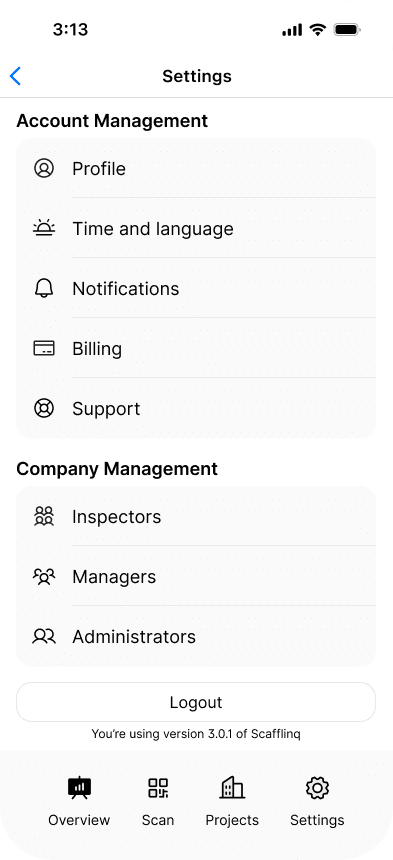
Log in to the Scafflinq mobile app and tap Settings in the bottom menu.
2
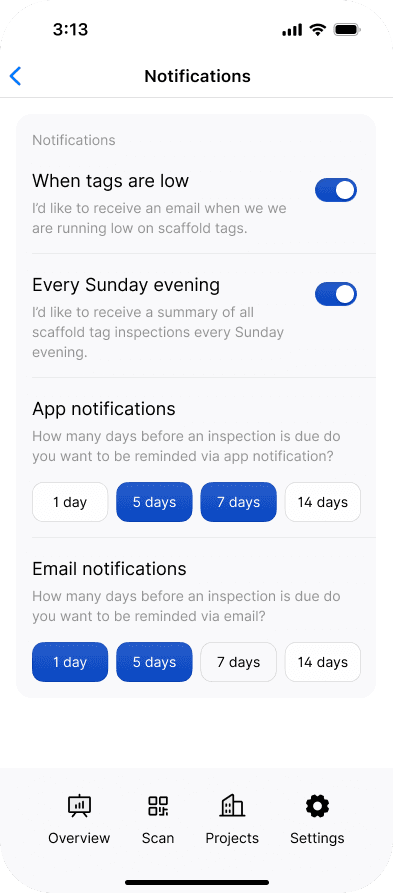
Tap Notifications, then update your reminder preferences. You can choose how many days before an upcoming inspection you would like to receive a reminder, and whether you want to be notified via the app, email, or both.
3
Your selection is saved automatically. Swipe down on the drawer menu to close it and return to the previous screen.