You can archive a project from the web portal or the mobile app.
When a project is archived, all scaffolds under that project will automatically be marked as Dismantled.
Archive a Project on the Web
1
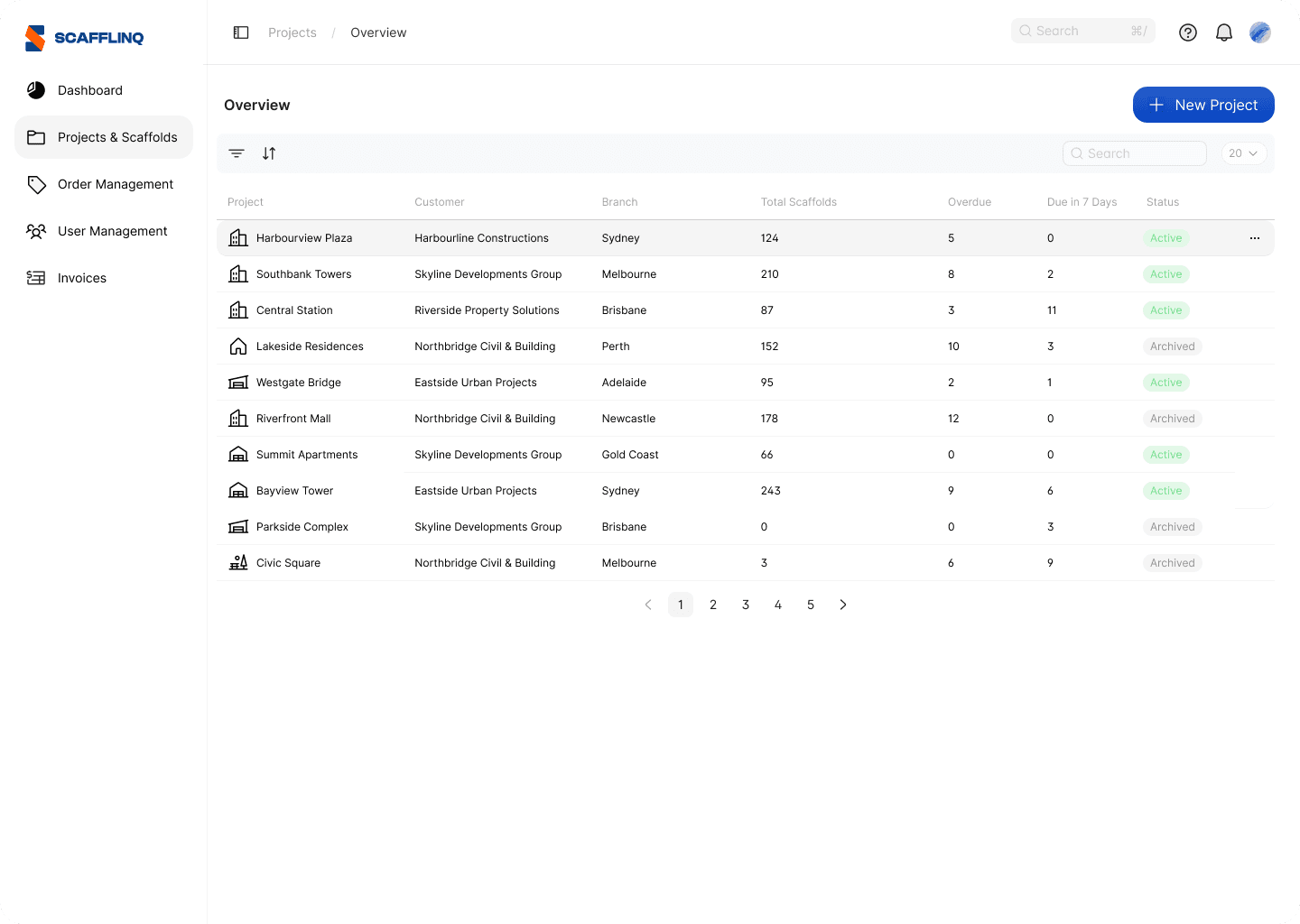
Go to Projects & Scaffolds. Hover over the project you want to archive and click the ••• menu icon.
2
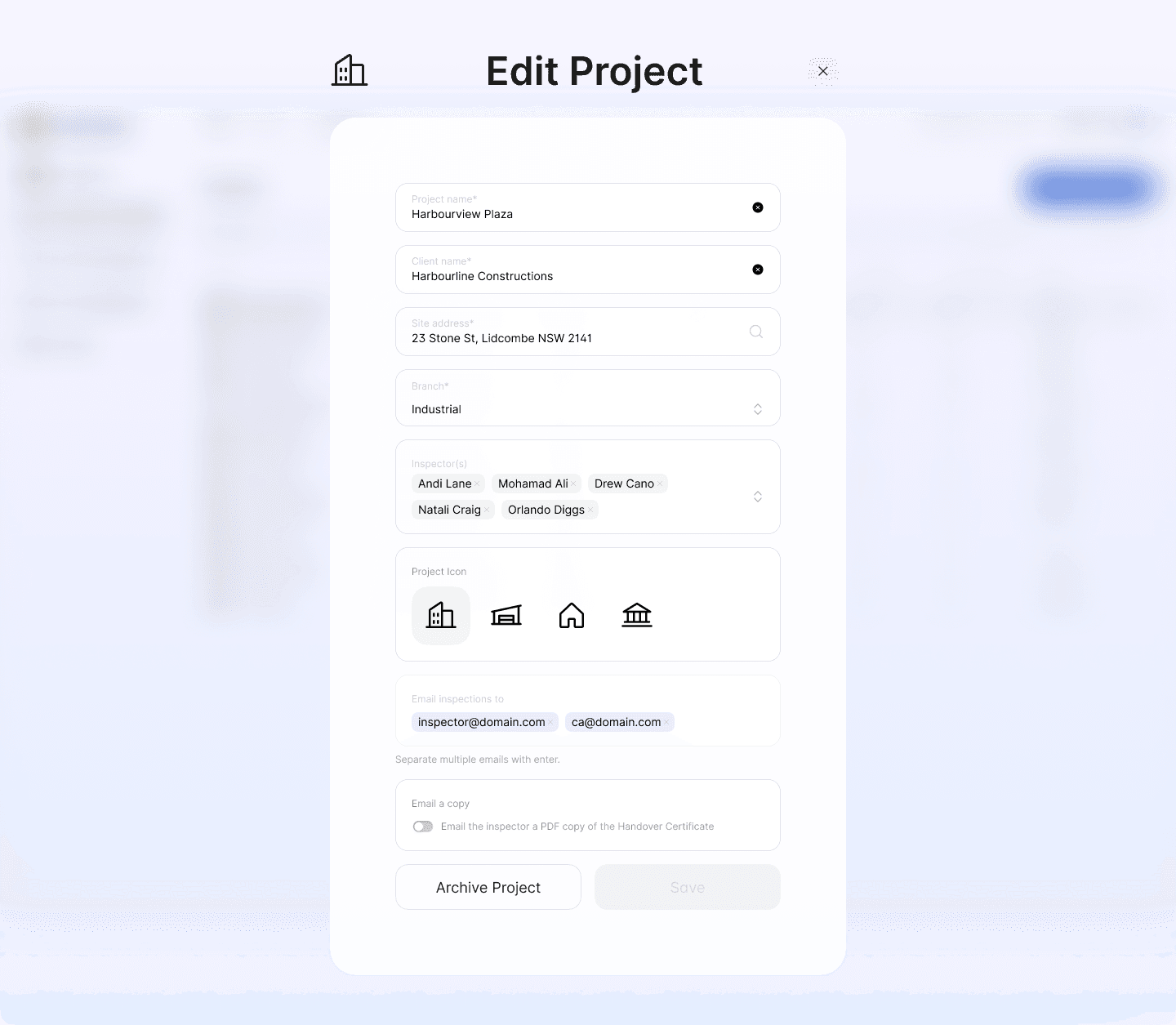
Select Archive Project and confirm.
3
The project will be archived, and all scaffolds under it will be marked as Dismantled.
Archive a Project in the Mobile App
1
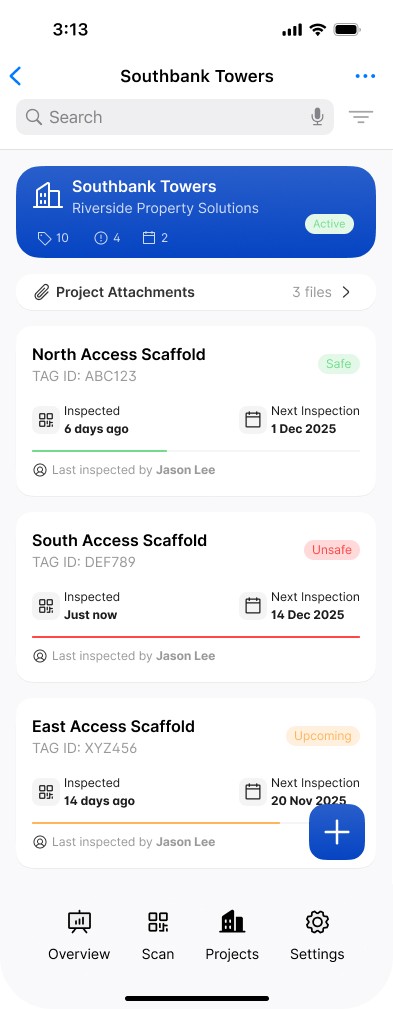
On the mobile app, navigate to the Project you want to archive and tap on it.
2
Tap the ••• icon in the top right corner to display the menu and select Archive Project
3
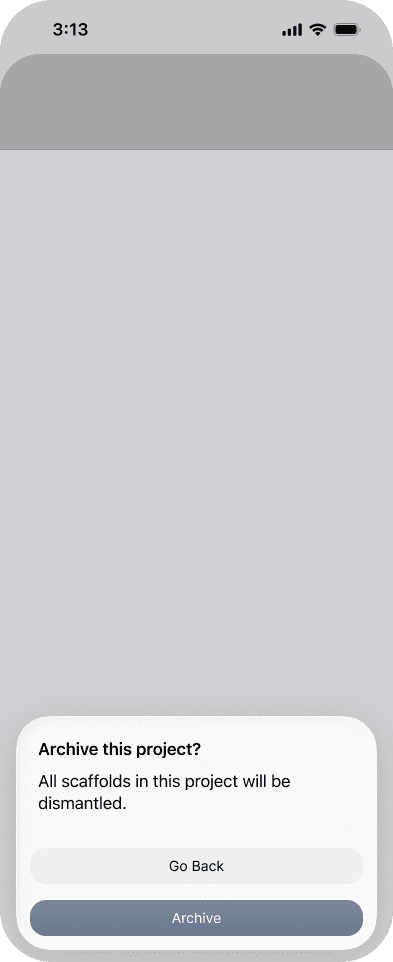
Confirm you want to archive this Project.
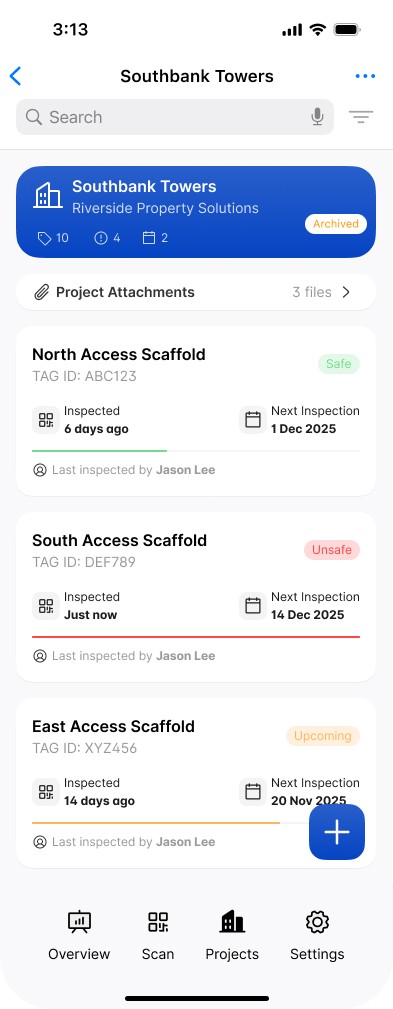
4
The project is now archived and will be hidden from the Project list view. It can be displayed again by turning off the Hide archived projects using the Filter
Once archived, the project will be hidden from the project list by default.
Display archived Projects in list
1
From the project list, tap the Filter icon
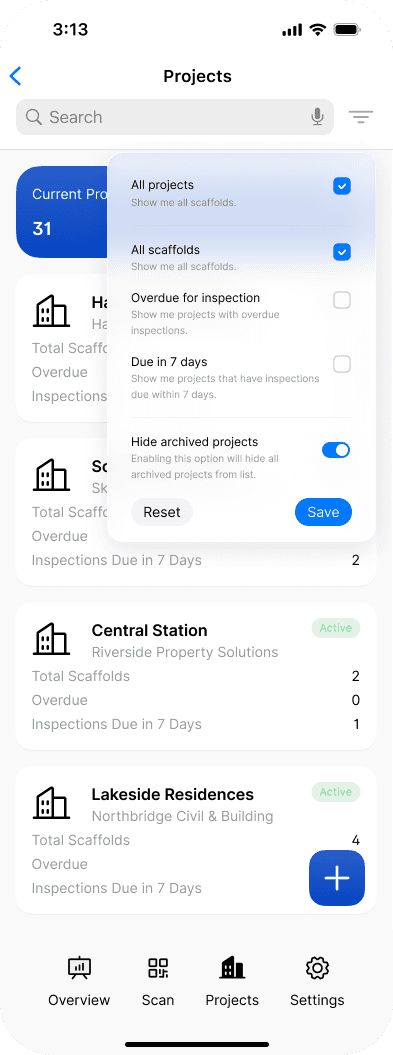
2
Turn off the Hide archived projects toggle and tap Save. Archived projects will now appear in the project list.

Related to Projects