Use the Scafflinq mobile app to replace a lost or damaged tag.
1
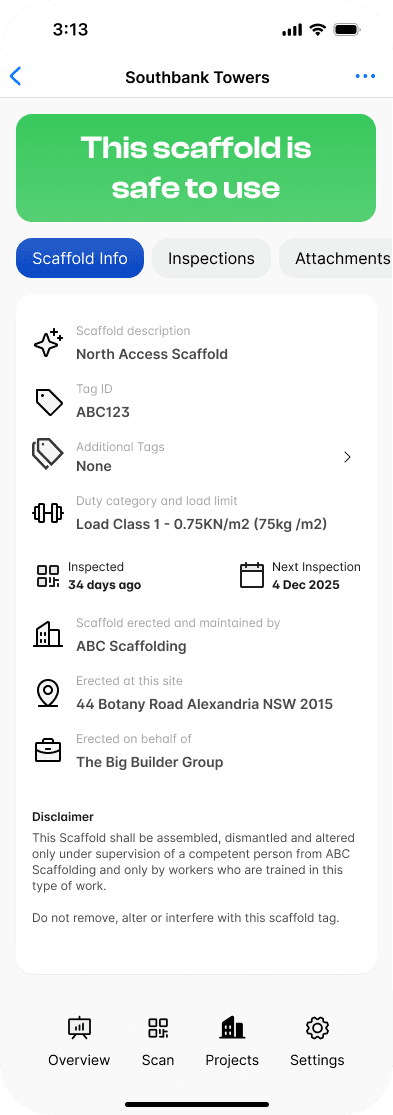
Navigate to the Scaffold you wish to replace the tag for.
2
Tap the ••• icon in the top right corner to display the menu and select Replace Tag
3
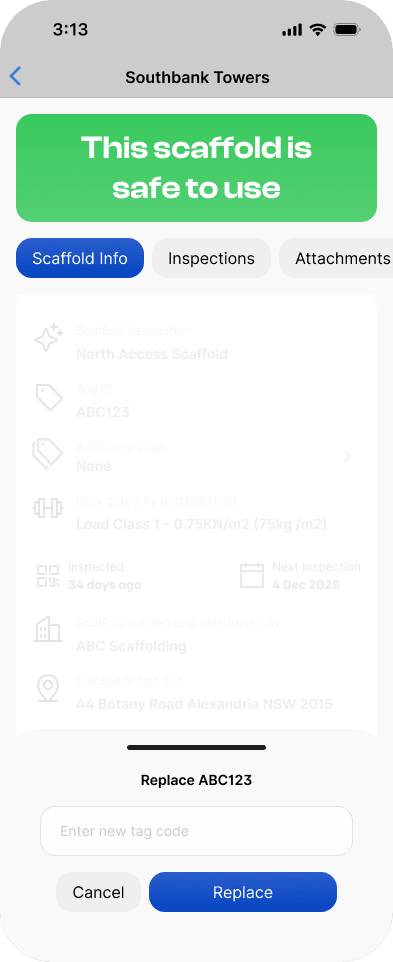
Enter the 5-digit TAG ID from the new tag and Tap Replace
The new tag will replace the old one and all inspections from the previous tag will still appear in the Inspection History list.